
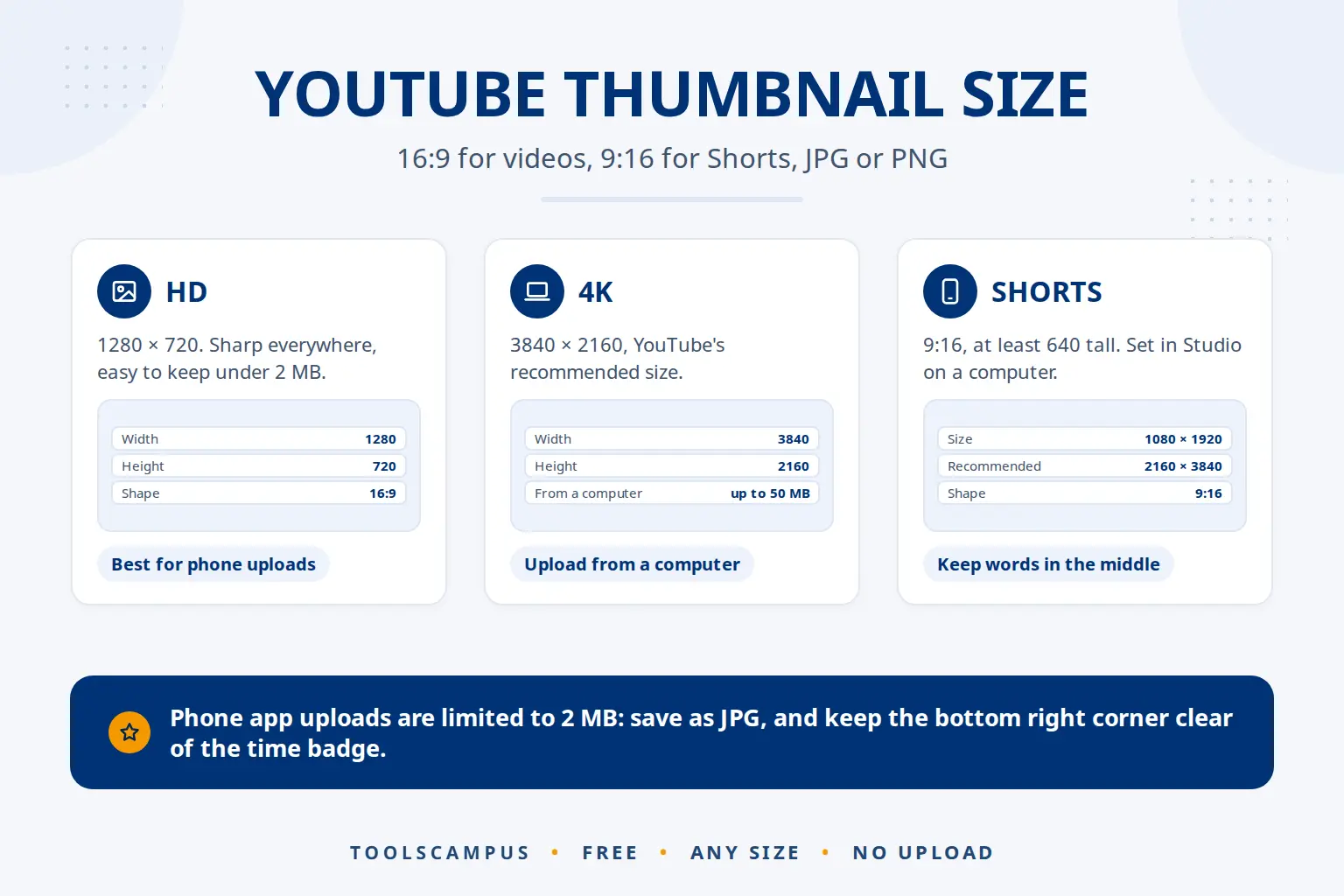
The YouTube thumbnail size is 16:9. YouTube now recommends 3840 × 2160 pixels and accepts anything from 640 pixels wide, and 1280 × 720 is still the most common size. Thumbnails can be JPG or PNG, up to 2 MB when you upload from the phone app and up to 50 MB from a computer. Shorts take a 9:16 thumbnail instead.
This guide gives every number in one place, explains which size to pick, and shows the parts of a thumbnail that YouTube covers.
Make a thumbnail at the exact YouTube size: free, no sign-up, and your photos stay on your device.
YouTube thumbnail size at a glance
These numbers come from YouTube’s help page on thumbnails:
| Video thumbnail | Shorts thumbnail | |
|---|---|---|
| Shape | 16:9 (wide) | 9:16 (tall) |
| Recommended size | 3840 × 2160 pixels | 2160 × 3840 pixels |
| Minimum | 640 pixels wide | 640 pixels tall |
| File types | JPG or PNG | JPG or PNG |
| File size from a phone | Up to 2 MB | Set on a computer only |
| File size from a computer | Up to 50 MB | Up to 50 MB |
You also need a verified account to upload your own thumbnail. YouTube’s help page links to youtube.com/verify for that.
1280 × 720 or 4K: which size should you use?
Every 16:9 size between 640 pixels wide and 3840 × 2160 is accepted, so pick by how you upload:
- 1280 × 720 (HD): the classic size. Sharp on every screen, and a JPG stays well under the 2 MB phone limit. A safe choice when you upload from the YouTube app.
- 1920 × 1080 (Full HD): a little sharper on big screens and TVs, still small as a JPG.
- 3840 × 2160 (4K): YouTube’s current recommendation, and the sharpest on 4K TVs and large monitors. Upload it from a computer, as the file is often bigger than 2 MB.
In our Thumbnail maker, all three are in the Download menu of the YouTube Video thumbnail size: design once, then choose HD 1280 × 720, Full HD 1920 × 1080 or 4K 3840 × 2160. Text, shapes and shadows are drawn fresh at each size, so the 4K version is truly sharper rather than an enlarged copy.
Never make a thumbnail bigger by enlarging a small picture. It adds pixels but not detail, so it looks soft. Start from your original photo instead. For why, see resizing without losing quality.
How to stay under the 2 MB limit
The 2 MB limit applies to video thumbnails uploaded from a phone. To stay under it:
- Save as JPG, not PNG. A photo-based thumbnail is usually several times smaller as a JPG, with no visible difference.
- Keep Keep it under 2 MB ticked in the Thumbnail maker’s Download menu (it is on by default). The maker lowers the JPG quality step by step until the file fits.
- Use HD for phone uploads. At 1280 × 720 there are far fewer pixels to store than at 4K.
- Already have a big file? Shrink it with Compress image. Our guide to compressing without losing quality explains the levels.
The part YouTube covers: keep it clear
YouTube shows the video length in the bottom right corner of the thumbnail, on top of your picture. Anything you put there, like a face, a word or a logo, is hidden behind it.
In the Thumbnail maker, turn on Guides to see that corner marked on your design. The guides are only on screen and are never saved in the picture. The Check tab also warns you if words sit under the covered part.
Your thumbnail is mostly seen small
The size you upload isn’t the size people see. In a list of videos on a phone, a thumbnail is often less than 200 pixels wide. So:
- Use three or four words at most, in a heavy font.
- Give words an outline or a shadow so they stand out from the photo.
- Make one face or object fill a good part of the picture.
The Thumbnail maker’s Check tab shows your design at phone size, in a light and a dark video list, and tells you when words would only be a few pixels tall. More ideas in fixes for a thumbnail nobody clicks.
YouTube Shorts thumbnails
Shorts use a tall 9:16 thumbnail. YouTube recommends 2160 × 3840 pixels, with a minimum of 640 pixels tall, and its help page says you set a Shorts thumbnail in YouTube Studio on a computer: Content, then the Shorts tab, then the edit icon, then Upload file under Thumbnail.
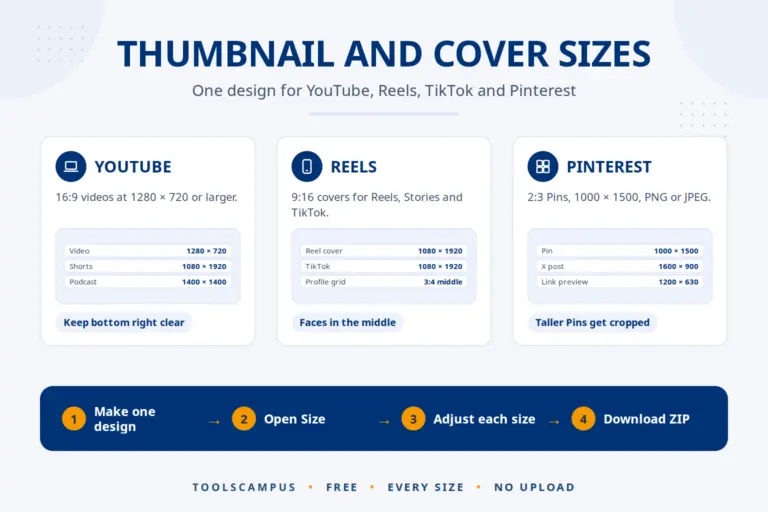
The Thumbnail maker’s YouTube Shorts thumbnail size is 1080 × 1920, well above the minimum. Its guides mark the top and bottom of the screen, where the app places buttons and the caption, so keep the main words in the middle. The other YouTube sizes, such as the channel banner, are listed in thumbnail and cover sizes for every platform.
AI pictures and the YouTube size
AI image generators often give you a square picture or a shape that isn’t 16:9. Stretching it to fit makes faces look wrong. Instead, put it into a 16:9 design as a background or photo, and move it so the important part stays in view: the Thumbnail maker crops it to the box for you, and Zoom inside the box lets you choose the framing.
Whatever made the picture, keep it honest: a thumbnail should show what is really in the video. Viewers who feel tricked leave early, and that hurts the video more than a plain thumbnail would.
Common problems
My thumbnail has black bars or is cut off
It wasn’t 16:9. Make it in a 16:9 size such as 1280 × 720 instead of cropping a square or tall picture.
The thumbnail looks blurry on YouTube
It was probably smaller than 1280 × 720 and enlarged, or compressed too hard. Make it at HD or larger from your original photo.
The YouTube app refuses my file
It is over 2 MB. Save it as JPG with Keep it under 2 MB ticked, or upload it from a computer.
Frequently asked questions
What is the best YouTube thumbnail size?
16:9 at 1280 × 720 pixels or larger. YouTube now recommends 3840 × 2160 (4K), which is best uploaded from a computer.
Is 1280 × 720 still OK?
Yes. It is well above the 640-pixel minimum and looks sharp on phones and computers. It is also the easiest size to keep under the 2 MB phone limit.
What is the maximum YouTube thumbnail file size?
2 MB for video thumbnails uploaded from a phone, and 50 MB from a computer, according to YouTube’s help page.
Can a YouTube thumbnail be a PNG?
Yes. JPG and PNG both work. JPG files are much smaller, which helps with the 2 MB phone limit.
Make your thumbnail at the right size now. HD, Full HD or 4K, without a watermark.
Comments
No comments yet. Ask a question or share a tip that helped you.