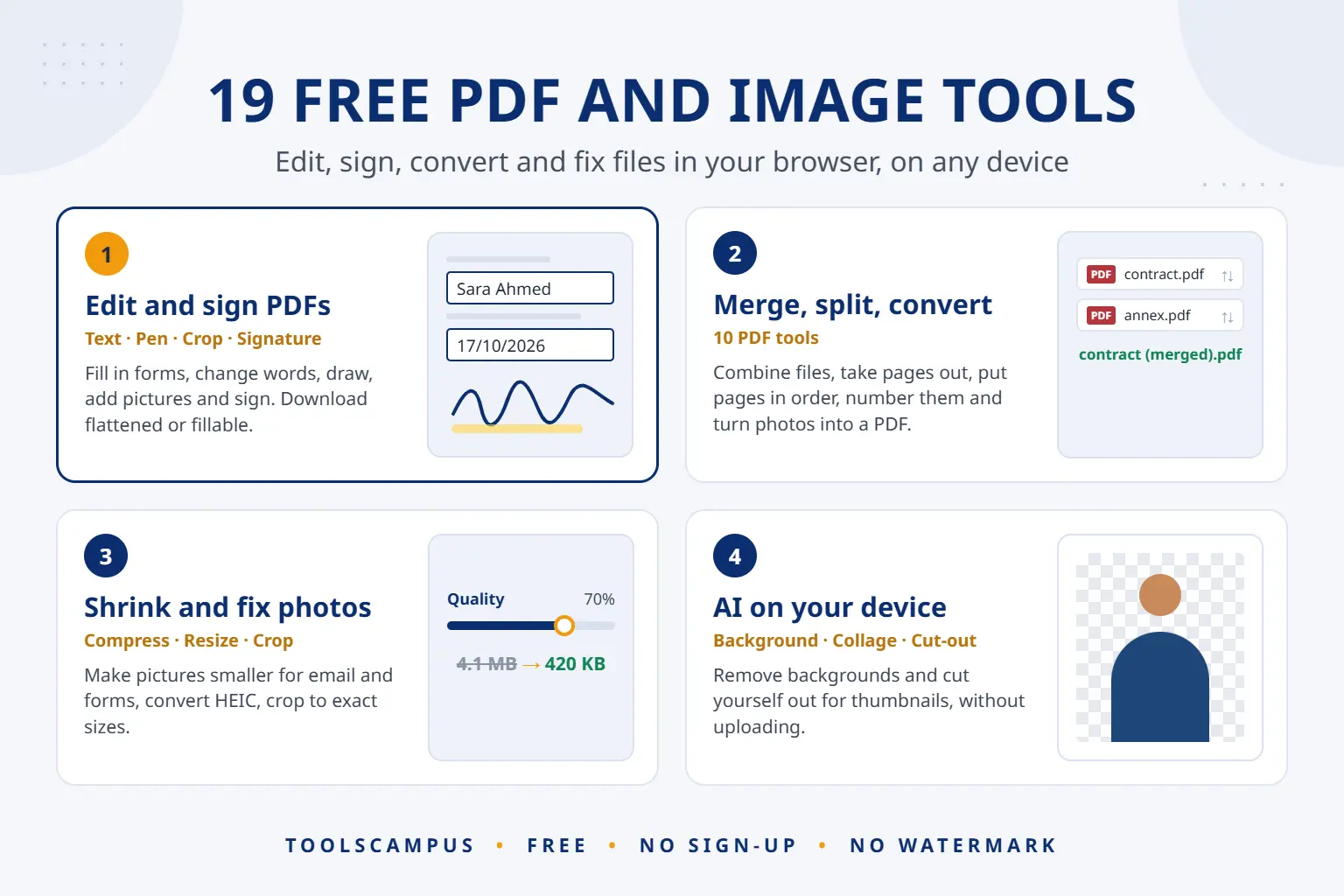
ToolsCampus is a free website with 19 tools for PDFs and pictures. You can edit, fill in and sign a PDF, merge, split and convert PDF files, compress, resize and crop photos, remove a background with AI, make a photo collage or design a YouTube thumbnail. Everything works in your web browser, on a computer or a phone, with no app to install, no sign-up and no watermark on your files.
This post explains what each tool does, where your files go, how the AI tools work, and which guides to read first.
Open the free PDF editor or browse the tools below. No account needed.
PDF tools
- PDF editor: add text, dates, checkboxes, pictures and your signature, fill in forms, and change the words already in the PDF. Download it flattened, as a fillable form, or as the original.
- Merge PDF, Split PDF, Organize PDF and Rotate PDF: combine files into one, take pages out, put pages in order and turn sideways pages the right way up.
- JPG to PDF and PDF to JPG: turn photos and scans into a PDF, or PDF pages into pictures.
- Add page numbers and Watermark PDF: number the pages, or stamp words such as CONFIDENTIAL or DRAFT on them.
- OCR PDF: make a scanned PDF searchable, so you can find and copy its text.
Image tools
- Compress image and Resize image: make photos smaller for email, websites and online forms, down to an exact size in KB or pixels.
- Convert to JPG and Convert from JPG: open iPhone HEIC photos, PNG and WebP as JPG, or turn JPG into PNG, WebP or GIF.
- Crop image: cut a picture to an exact size or a shape such as a circle, with ready-made sizes for social media.
- Watermark image: add your name or logo to one photo or many at once.
- Remove background: AI finds the subject of your photo and removes everything behind it, at full size.
- Collage maker: put any number of photos into a grid, a mosaic or a shape, and let AI arrange them to fit.
- Thumbnail maker: design YouTube thumbnails and covers for Shorts, Reels, TikTok and Pinterest, with an AI cut-out of yourself.
Where your files go
Most of our tools never upload your files. All the image tools and all the PDF tools except the editor work inside your browser, on your own device. Your photos and documents are not sent to our server, which matters for ID cards, contracts and family photos.
The PDF editor is the one exception. It uploads your PDF to our server so your work can be saved and opened again. Without an account you can upload files up to 25 MB and 50 pages, and they are deleted after 24 hours. With a free account the limit is 50 MB and 100 pages, and you can delete a file yourself at any time. We never sell your files or your personal information.
AI that runs on your device
A few tools use AI, and all of it runs inside your own browser:
- Remove background runs an AI model on your device to separate the subject from the background. Your browser downloads the model once and keeps it, so later visits start straight away.
- Thumbnail maker uses the same AI to cut a person out of a photo for a thumbnail or cover.
- Collage maker tries many arrangements of your photos and keeps the one where they fit together best.
- OCR PDF and Edit text in the PDF editor read scanned pages with text recognition.
No outside AI service receives your files, and your photos are not used to train anything. AI can make mistakes, so check the result before you use it.
Free, with no sign-up and no watermark
There is no paid plan. Every tool and every download option is free for everyone, and we don’t put a watermark on your files. A free account is optional: it only gives you bigger limits and a place to keep your PDFs. To pay for running the site, we may show ads on some pages, but never inside the editor and never next to a download button.
Where to start
Each tool has step-by-step guides, tested on the live tools. These are the most useful ones to start with:
- How to fill out a PDF form online for free
- How to sign a PDF for free
- How to edit a PDF online for free
- How to combine PDF files into one
- How to convert JPG to PDF
- How to compress an image without losing quality
- How to remove the background from a photo with AI
- How to make a photo collage online
- How to make a YouTube thumbnail for free
New guides are published every day, one in the morning and one in the evening, covering each tool on computers, iPhone and Android.
Frequently asked questions
Is ToolsCampus really free?
Yes. Every tool and every download is free, with no trial and no paid plan. There is no watermark on your files.
Do I need an account?
No. Every tool works without one. A free account only raises the PDF editor’s limits and keeps your PDFs in My Files.
Does it work on my phone?
Yes. ToolsCampus works in the browser on iPhone, Android, Windows and Mac. The AI tools pick a lighter model on phones so they still run smoothly.
Are my files safe?
Image tools and most PDF tools never upload your files: they are processed on your device. The PDF editor stores your PDF on our server only as long as you need it, and deletes guest files after 24 hours.
Try ToolsCampus now. Pick a tool, drop in your file, and download the result in seconds.