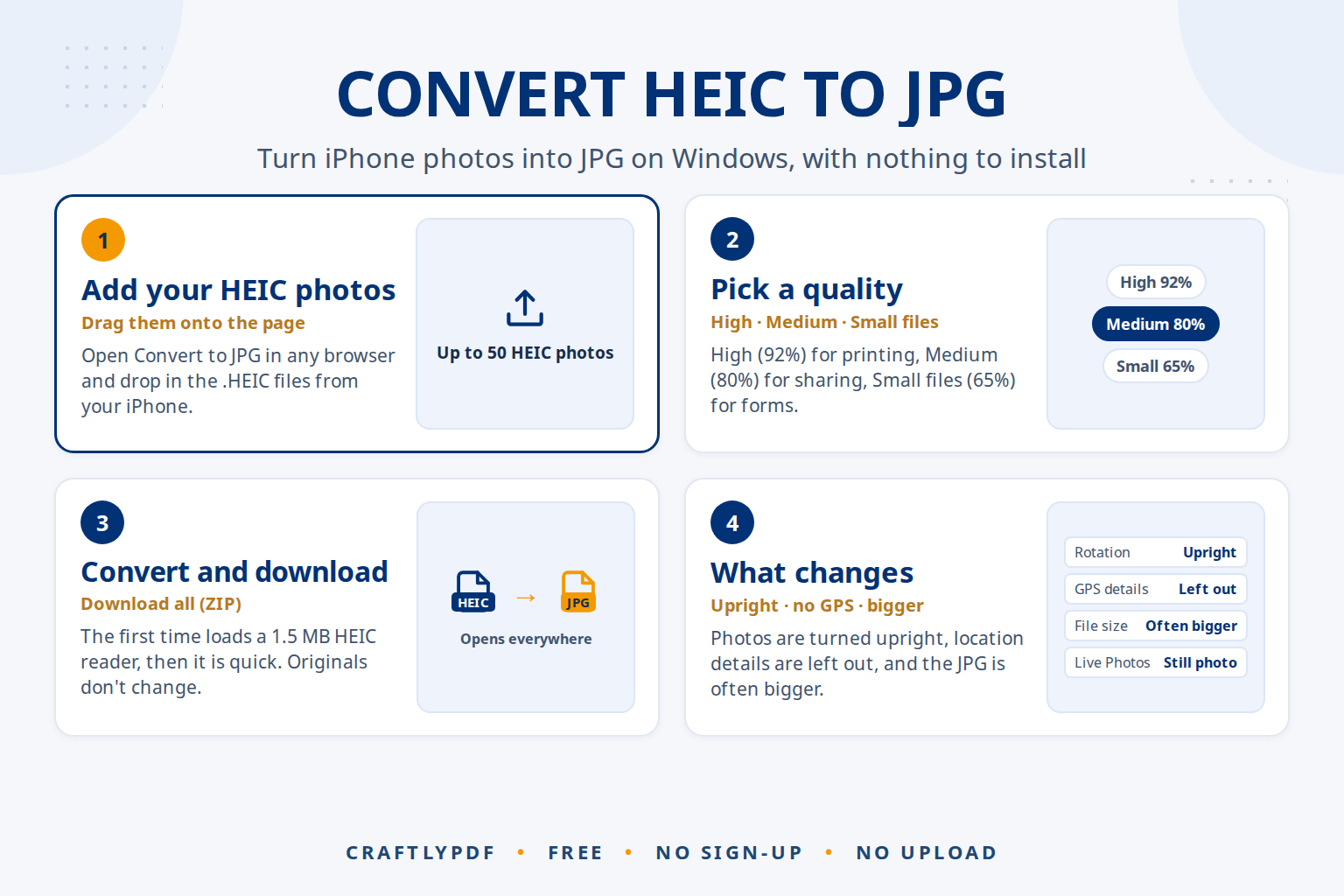
To convert HEIC to JPG on Windows, open a HEIC converter in your browser, add the iPhone photos, pick a quality and download the JPG files. You don’t need to install anything, and it works even when Windows itself can’t open HEIC files. On the iPhone you can also switch the camera to JPG for future photos.
This guide shows the quickest way to convert HEIC photos you already have, which quality to choose, and how to stop new iPhone photos from being saved as HEIC in the first place.
Convert HEIC to JPG now: free, no sign-up, and your photos stay on your device.
What is a HEIC file?
HEIC is the photo format iPhones and iPads use by default. It belongs to a family called HEIF (High Efficiency Image File Format). A HEIC photo usually takes less space than the same photo as JPG, which is why Apple chose it: more photos fit on the phone.
The problem appears when the photo leaves the Apple world. Many Windows PCs, older photo programs, upload forms and printing services expect JPG. If you copy photos from an iPhone to a PC with a cable, or download them from iCloud, you often end up with IMG_1234.HEIC files that won’t open or upload. Our guide Can’t open HEIC files on Windows? covers the viewing side; this one is about turning them into JPG.
| Feature | HEIC | JPG (JPEG) |
|---|---|---|
| Made for | Saving space on Apple devices | Photos everywhere |
| File size for the same photo | Usually smaller | Usually bigger |
| Opens on iPhone, iPad and Mac | Yes | Yes |
| Opens on Windows without extra software | Not always | Yes |
| Accepted by upload forms and print shops | Rarely | Almost everywhere |
How to convert HEIC to JPG (step by step)
- Open Convert to JPG in any browser on your Windows PC, Mac or phone.
- Choose your HEIC photos, or drag them onto the page. You can add up to 50 at once, and you can mix in PNG, WebP or GIF pictures.
- Pick a Quality: High (92%), Medium (80%) or Small files (65%).
- Click Convert to JPG.
- Click Download for one photo, or Download all (ZIP) for several. Your original HEIC files are not changed.
The first time you convert a HEIC photo, the page downloads a small HEIC reader of about 1.5 MB. After that, conversions start straight away. Because the reader runs in your browser, it works on Windows even if the HEIF extension isn’t installed, and the photos are never uploaded.
Which quality should you choose?
| Quality | Use it for |
|---|---|
| High (92%) | Printing, photo books, keeping a JPG archive of your best photos |
| Medium (80%) | Email, social media, sharing with family |
| Small files (65%) | Upload forms with strict size limits, quick previews |
If a form has a limit in KB, choosing Small files may not be enough on its own, because iPhone photos have a lot of pixels. Make the photo smaller in pixels too; resizing a photo to 50, 100 or 200 KB shows the full routine.
What happens to your photo during conversion
- The picture is turned upright. Phone photos sometimes store their rotation as a hidden note. The JPG is saved the right way up, so it doesn’t appear sideways in other programs.
- Hidden camera and GPS details are left out. iPhones can store where a photo was taken. The JPG copy leaves that out, which is useful before you post or send photos to strangers.
- The file usually gets bigger. JPG packs photos less tightly than HEIC, so a converted photo is often larger than the original. That is normal. To shrink it afterwards, use Compress image or Resize image.
- Live Photos become still photos. Only the picture is converted, not the short video part.
Stop the iPhone from saving new photos as HEIC
If you always need JPG, change the camera setting once:
- Open Settings and tap Camera.
- Tap Formats, then tap Most Compatible.
New photos are then saved as JPG and new videos as H.264. Photos you already took stay HEIC, so you still need to convert those. The trade-off is space: JPG photos take more room on the phone. Why are my iPhone photos HEIC? explains the setting and when it is worth keeping HEIC.
HEIC photos and AI tools
When you want an AI assistant such as ChatGPT, Claude, Gemini or Copilot to look at a photo, JPG is the safest format to upload, because almost every service and app accepts it. Converting first also means the AI receives a photo without the hidden location details, and with Medium quality the upload is quicker on a slow connection. Always check what the AI says about a photo against the photo itself, and check the service’s privacy settings before uploading personal pictures.
Some ToolsCampus tools take HEIC photos directly, so you can skip the conversion there. Remove background uses an AI model that runs in your browser to find the person or object and cut it out, and Collage maker arranges your photos automatically with AI, trying many layouts and keeping the one that fits them edge to edge with the least cropping.
Common problems
The first conversion takes a few seconds longer
The HEIC reader of about 1.5 MB is downloading. This happens only once; the next photos convert straight away.
The JPG is bigger than the HEIC file
That is how the two formats work: HEIC packs photos more tightly. Choose Medium or Small files, or compress the JPG afterwards with Compress image.
The file ends in .HEIC but won’t convert
Check that the file finished downloading from iCloud and isn’t a video or a damaged file. Try opening it on the iPhone first. If it opens there, share it again and try once more.
I need the photos as a PDF, not JPG
Convert them to JPG first, then put them into one document with JPG to PDF. Turning iPhone photos into a PDF shows the steps.
Frequently asked questions
Does converting HEIC to JPG lose quality?
A little data is lost, because JPG is a lossy format. At High (92%) the difference is not visible in normal viewing or printing. Keep the HEIC original if you want the untouched version.
Can I convert HEIC to JPG on Windows without installing anything?
Yes. A browser-based converter reads the HEIC file itself, so Windows doesn’t need the HEIF extension. Open the converter, add the photos and download the JPGs.
Can I convert many HEIC photos at once?
Yes. Add up to 50 photos in one go and download them together as a ZIP file. For a bigger folder, convert it in batches of 50.
Is it safe to convert HEIC photos online?
With ToolsCampus, the conversion happens in your own browser and the photos are never uploaded. With other converters, check whether your photos are sent to a server and how long they are kept.
Convert your HEIC photos to JPG. Add them, click once, and download photos that open everywhere.