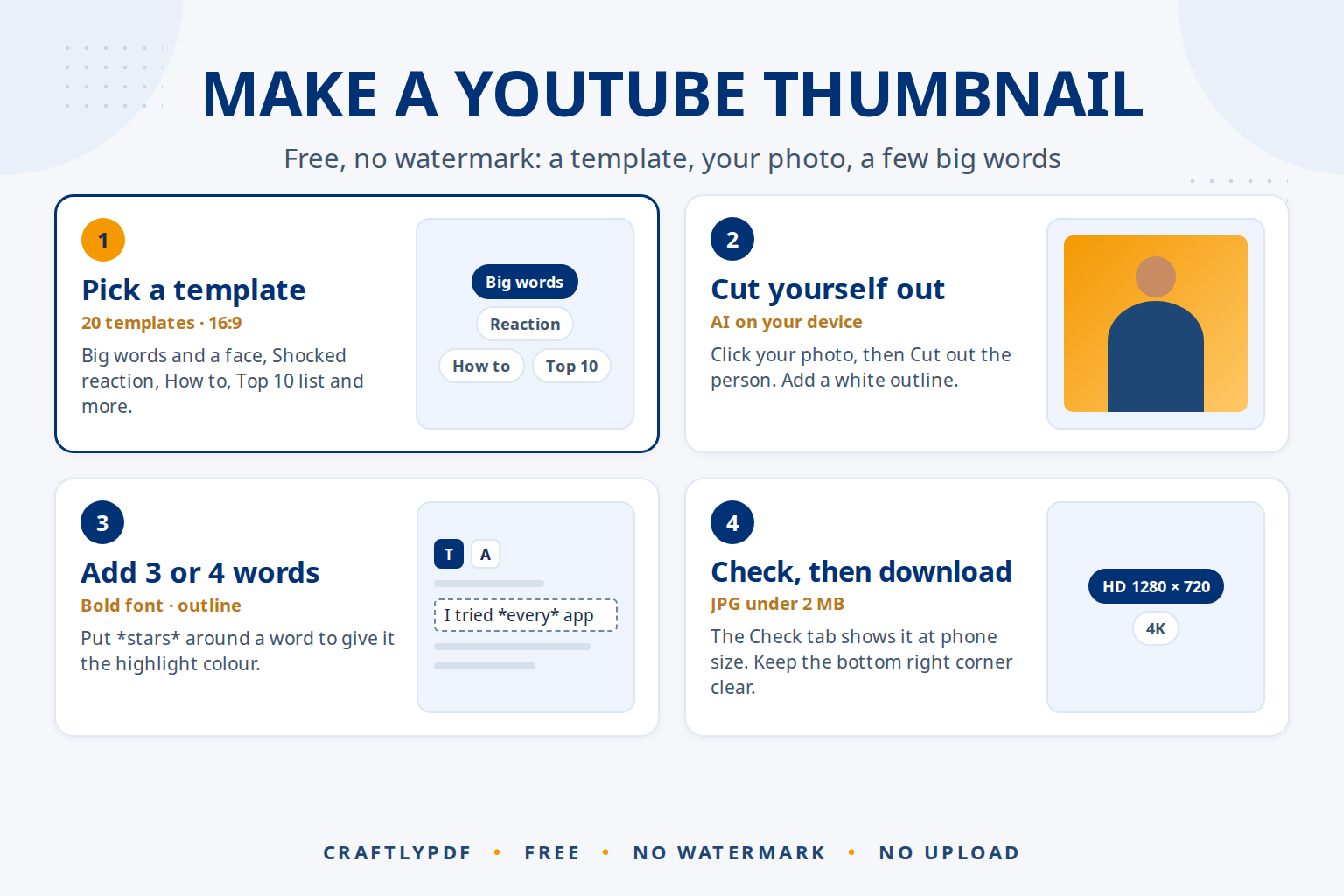
To make a YouTube thumbnail for free, open a thumbnail maker in your browser, choose the YouTube video size (16:9), add a photo of yourself and three or four big words, then download a JPG. It takes about five minutes, you don’t need Photoshop or an account, and there is no watermark on the result.
This guide walks through every step in our free Thumbnail maker, then shows how to upload the thumbnail to YouTube and fix the problems people run into most.
Make your YouTube thumbnail now: free, no sign-up, and your photos stay on your device.
Before you start: what a good thumbnail needs
A thumbnail is seen small, often less than 200 pixels wide in a list of videos on a phone. The ones that get clicked usually have three things:
- One clear subject, often a face showing a feeling, or the thing the video is about.
- A few big words, three or four at most, that add to the title instead of repeating it.
- Strong contrast: light words on a dark area, or dark words on a light one, with an outline so they stand out.
Take or pick your photo first. A sharp photo with good light and a plain background gives the best result, especially if you want to cut yourself out of it.
How to make a YouTube thumbnail, step by step
- Open Thumbnail maker in Chrome, Edge, Safari or Firefox, on a computer or a phone.
- Choose YouTube Video thumbnail. Drop a photo onto the box to start (it opens as a YouTube thumbnail), or click YouTube Video thumbnail under Or start with an empty design. JPG, PNG, WebP and iPhone HEIC photos work, up to 30 at a time.
- Pick a template. There are 20, such as Big words and a face, Shocked reaction, How to (tutorial), Before and after and Top 10 list. Each one places your photo, the words and the shapes for you. You can change everything afterwards.
- Cut yourself out (optional). Click your photo, then Cut out the person. The AI removes the background on your own device. Templates with a person do this for you.
- Write your words. Click the text and type in the Words box. Put
*stars*around a word to give it the highlight colour, for exampleI tried *every* app. Choose a bold font such as Anton or Bebas Neue and add an Outline or a Shadow. - Add an arrow, a circle or an emoji with Shape or arrow and Emoji on the left, to point at what matters.
- Turn on Guides. The red box in the bottom right corner shows where YouTube puts the video length. Keep faces and words out of it. Guides are not saved in the picture.
- Open the Check tab. It shows your thumbnail at the size of a phone’s video list, on a light and a dark background, and tells you if any words are too small to read.
- Download. Click Download, then JPG. Leave Keep it under 2 MB ticked if you will upload from the YouTube phone app. The file is named like
thumbnail-youtube-video-thumbnail-1280x720.jpg.
Want the biggest version? Under Download, change the picture size from HD 1280 × 720 to Full HD 1920 × 1080 or 4K 3840 × 2160. The details are in our guide to the YouTube thumbnail size.
How to add the thumbnail to your video
According to YouTube’s help page on thumbnails, you can upload your own thumbnail once your account is verified. On a computer:
- Sign in to YouTube Studio.
- Choose Content in the left menu.
- Open the video and click the edit (pencil) icon.
- Under Thumbnail, click Upload file and pick your JPG.
- Click Save. The new thumbnail can take a little while to appear everywhere.
YouTube’s help page lists a 2 MB limit for video thumbnails uploaded from a phone and 50 MB from a computer.
One design for Shorts, Instagram and TikTok too
When your YouTube thumbnail is done, open Size and pick another platform, such as YouTube Shorts, Instagram Reel cover or TikTok Video cover. Your design is fitted to the new shape, and you can adjust it there without changing the YouTube version. Each size keeps its own changes.
To save every version at once, click Download, then All sizes (ZIP), tick the sizes you want and download one ZIP. See thumbnail and cover sizes for every platform for what each one needs.
AI and your thumbnail
AI can save you time on a thumbnail, as long as you stay in charge of the result:
- Cut-outs. The AI in our maker finds the person in your photo and removes the background in a few seconds, with an optional white outline. The first time, your browser downloads the AI model (about 44 MB, more for the Best model on a capable computer) and keeps it for later. Your photo is never uploaded. More in how to cut yourself out for a thumbnail with AI.
- YouTube’s own suggestions. YouTube Studio’s thumbnail section also has a Get suggestions option that makes thumbnails for you. They are a quick starting point, but a thumbnail with your own face and words is easier for viewers to recognise.
- AI images and words. If you use an image generator for a background, or a chatbot to suggest three punchy words, check that the picture is honest about what is in the video. A thumbnail that promises something the video doesn’t deliver loses viewers quickly. Check the AI service’s terms before using its images.
Common problems
I can’t find the Upload file button in YouTube Studio
Your account probably isn’t verified yet. YouTube’s help page links to youtube.com/verify, where you can verify it.
YouTube says the file is too big
Uploads from the phone app are limited to 2 MB. Download again as JPG with Keep it under 2 MB ticked, or upload from a computer, where the limit is 50 MB.
The words are hard to read on a phone
Use fewer words and make them bigger, add an outline, or turn up Darken under Background so a busy photo sits behind the text more quietly. The Check tab tells you when words are too small.
My face is cut off on Shorts or Instagram
Vertical sizes cover the top and bottom with buttons and captions. Open that size, turn on Guides, and move your face and words into the middle.
My iPhone photo won’t open in other apps
The maker opens iPhone HEIC photos directly. For other apps, convert them first with Convert to JPG.
Frequently asked questions
Is the thumbnail maker really free?
Yes. There is no account, no watermark and no limit on downloads. Everything, including the AI cut-out, runs in your browser, so it costs us nothing per thumbnail.
Can I make a YouTube thumbnail on my phone?
Yes. Open the Thumbnail maker in Safari or Chrome. The tools sit in a bar at the bottom of the screen, and the downloaded JPG is saved to your Files or Downloads folder.
Should I save my thumbnail as JPG or PNG?
JPG for YouTube: it is much smaller and looks the same. PNG keeps the sharpest text and edges, but the file is bigger, which matters for the 2 MB phone upload limit.
Do I need Photoshop or Canva?
No. The Thumbnail maker has templates, bold fonts, outlines, shapes, emojis and an AI cut-out, and it saves at the exact size YouTube asks for.
Make your YouTube thumbnail now. Pick a template, add your photo and words, and download in a few minutes.